
Comment insérer des shortcodes de produit WooCommerce dans la page produit
Les shortcodes de produit WooCommerce permettent d'ajouter des tableaux supplémentaires — variations, ventes incitatives (upsells), ventes croisées (cross-sells), produits associés — à la page d'un produit. Ouvrez cet exemple de produit.
- Pour insérer un tableau avec les variations du produit, utilisez le code suivant dans le fichier functions.php :
add_filter('woocommerce_after_add_to_cart_button', function() {
    global $product;

    if (is_object($product) AND $product->is_type('variable')) {
        echo do_shortcode("[woot_variations per_page=4 columns='thumbnail,pa_size,pa_color,price,add_to_cart']");
    }
});
Les colonnes d'attributs sont facultatives ici. - Pour insérer « Cœur, Galerie, bouton de fenêtre contextuelle » dans la page du produit, utilisez le code suivant dans le fichier functions.php :
add_filter('woocommerce_product_meta_end', function() { echo '
' . do_shortcode('[woot_favourites_single_btn]'); echo '
' . do_shortcode('[woot_gallery]'); echo '
' . do_shortcode('[woot_popup_iframe_button popup_page_link='https://demo.products-tables.com/wpform-contact-ask-me/' button_text='Send message to the product manager' popup_title='Popup header title' css_class='woot-btn']'); echo '
' . do_shortcode("[woot_single_btn button_text='Extended information' css_class='woot-btn']").'
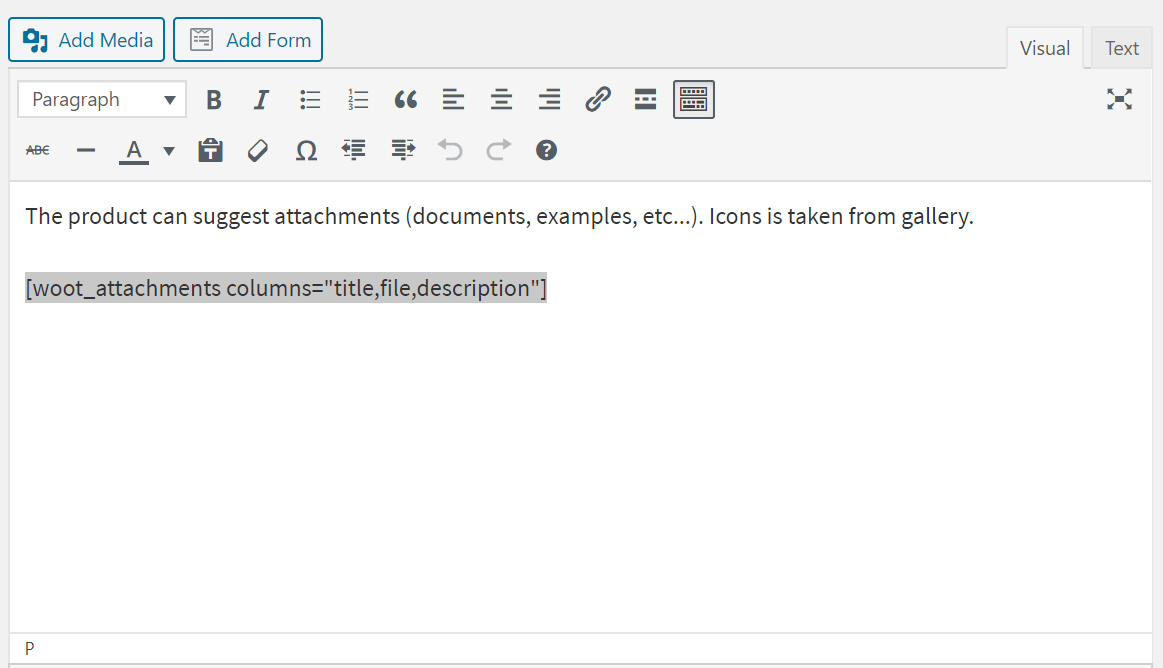
'; }); - Les pièces jointes du produit s'affichent sous forme de tableau directement dans l'éditeur de texte, grâce au shortcode [woot_attachments columns="title,file,description"]
- Les onglets avis, informations complémentaires, WOOT Cross Sells, WOOT Upsells et WOOT Related sont modifiés et ajoutés par le code suivant dans le fichier functions.php :
add_filter('woocommerce_product_tabs', function ($tabs) {
    $tabs['reviews'] = array(
        'title' => __('WOOT Reviews', 'woocommerce'),
        'priority' => 49,
        'callback' => function() {
            $product_id = get_the_ID();
            echo '' . do_shortcode("[woot_reviews id={$product_id}]") . '';
        }
    );

    $tabs['additional_information'] = array(
        'title' => __('Additional information', 'woocommerce'),
        'priority' => 50,
        'callback' => function() {
            $product_id = get_the_ID();
            echo do_shortcode("[woot_single id={$product_id} columns='weight,height,width,pa_size,pa_color,gallery']");
        }
    );

    $tabs['woot_cross_sells_tab'] = array(
        'title' => __('WOOT Cross Sells', 'woocommerce'),
        'priority' => 50,
        'callback' => function() {
            $product_id = get_the_ID();
            echo do_shortcode("[woot_cross_sells id={$product_id}]");
        }
    );

    $tabs['woot_upsells_tab'] = array(
        'title' => __('WOOT UpSells', 'woocommerce'),
        'priority' => 50,
        'callback' => function() {
            $product_id = get_the_ID();
            echo do_shortcode("[woot_upsells id={$product_id}]");
        }
    );
    /*
      $tabs['woot_grouped_tab'] = array(
      'title' => __('WOOT Grouped', 'woocommerce'),
      'priority' => 50,
      'callback' => function() {
      $product_id = get_the_ID();
      echo do_shortcode("[woot_grouped id={$product_id}]");
      }
      );
     */

    $tabs['woot_related_tab'] = array(
        'title' => __('WOOT Related', 'woocommerce'),
        'priority' => 50,
        'callback' => function() {
            $product_id = get_the_ID();
            echo do_shortcode("[woot_related id={$product_id}]");
        }
    );

    return $tabs;
});
À lire aussi :